

Configuration
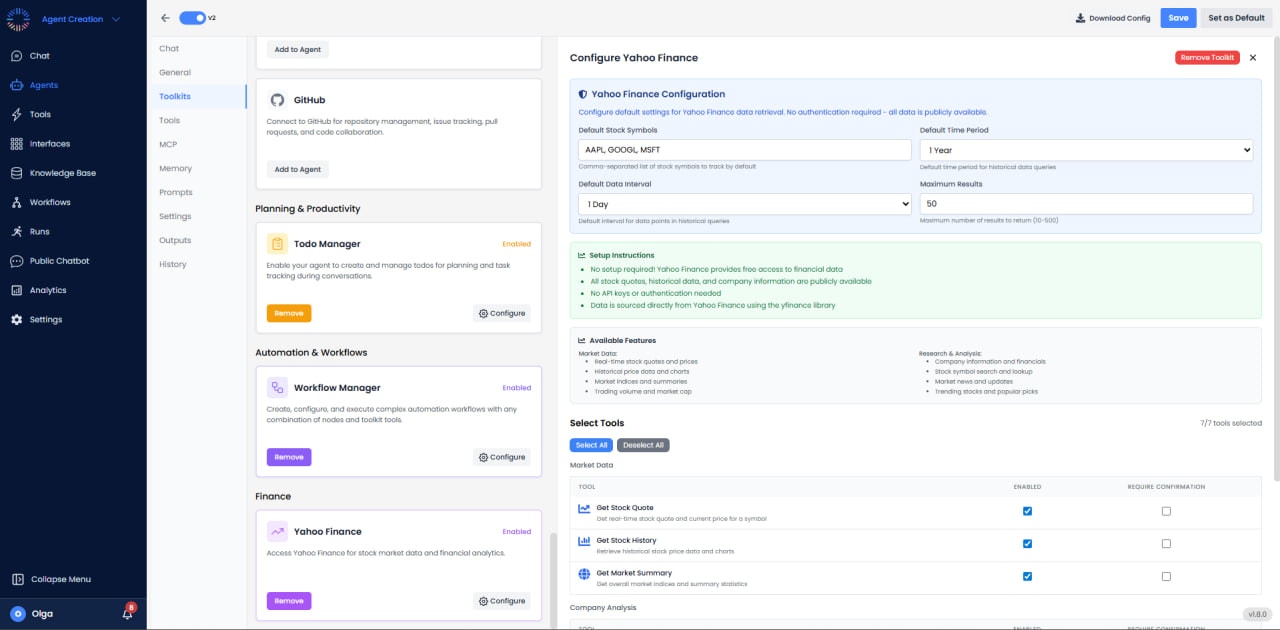

- Default Stock Symbols: AAPL, GOOGL, MSFT
- Default Time Period: 1 Year
- Default Data Interval: 1 Day
- Maximum Results: 50
- Setup: No setup required; data via Yahoo Finance
Available Features
Market Data
- Real-time quotes
- Historical data
- Indices
- Volume
- Market cap
Research & Analysis
- Company information
- Financials
- Symbol lookup
- Market news
- Trending stocks
Available Tools (7/7)
- Get Stock Quote: Real-time price, volume, and market data.
- Get Stock History: Historical OHLCV data for any date range.
- Get Market Summary: Major indices performance (S&P 500, Dow, NASDAQ).
- Get Company Info: Company details, sector, industry, and description.
- Search Stock Symbols: Find stock tickers by company name.
- Get Market News: Latest financial news for stocks or markets.
- Get Trending Stocks: Most active stocks, gainers, and losers.
Use Cases
- Portfolio Tracking: Monitor investment portfolio values and performance.
- Investment Research: Analyze company fundamentals and financials.
- Market Monitoring: Track market trends and sentiment.
- Automated Alerts: Send notifications for price targets.
- Financial Analysis: Build financial models using historical data.
Best Practices
- Use Correct Tickers: Verify ticker symbols including exchange suffix if needed (e.g., AAPL for Apple).
- Handle Delisted Stocks: Check for valid data before processing to avoid errors.
- Cache Data: Store frequently accessed data locally to reduce redundant requests.
- Timezone Awareness: Market data is in exchange’s local time; converted to user timezone.
- Market Hours: Account for market open/close times when using real-time data.
- Data Delay: Remember 15-minute delay for most quotes; use appropriate disclaimers.
Supported Assets
- Stocks (US and international exchanges)
- ETFs and Mutual Funds
- Indices (^GSPC, ^DJI, ^IXIC, etc.)
- Cryptocurrencies (BTC-USD, ETH-USD, etc.)
- Forex Pairs (EURUSD=X, GBPUSD=X, etc.)
- Commodities (Gold, Oil, etc.)
- Futures Contracts
Common Issues & Solutions
- Ticker Not Found: Verify ticker symbol spelling and exchange suffix.
- No Data Available: Stock may be delisted or historical data not available for date range.
- Inconsistent Data: Cross-reference critical data with official sources.
- Rate Limiting: While rare, excessive requests may be throttled. Implement reasonable delays.