

Configuration
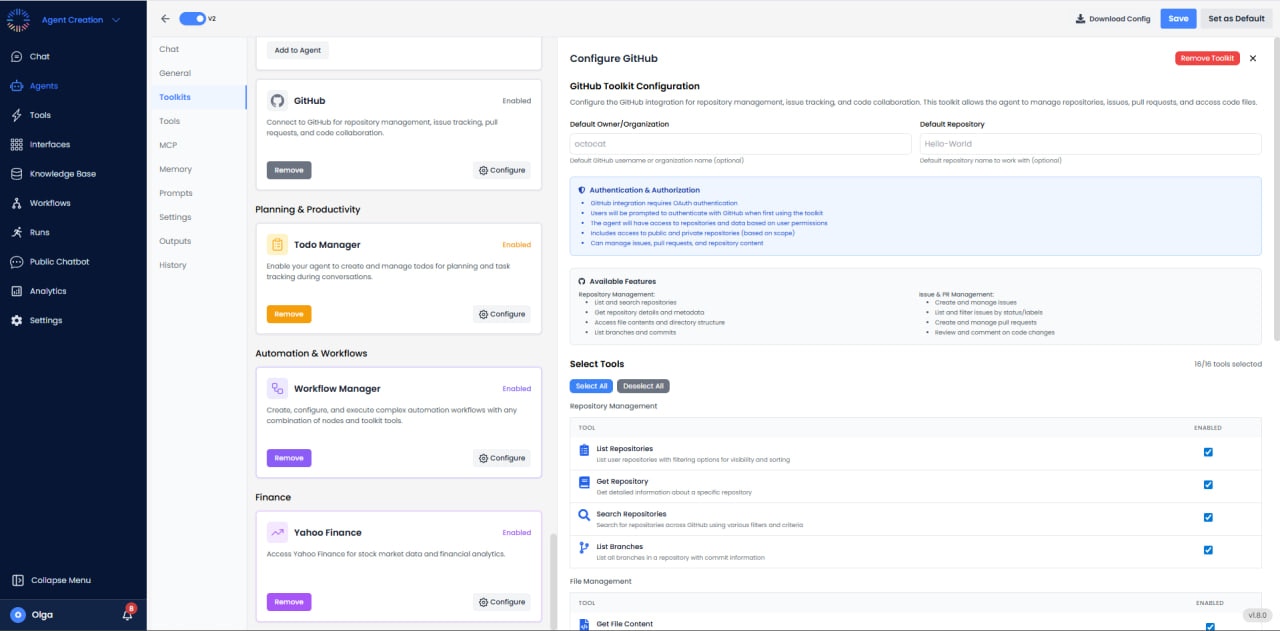

- Default Owner/Organization: octocat
- Default Repository: Hello-World
- Authentication: OAuth; prompts user to authenticate
- Access: Limited by user permissions; supports public/private repos and managing issues/PRs/repo content
Available Tools (16/16)
Repository Management
- List Repositories: Get all repos for users or organizations.
- Get Repository: Retrieve repo details.
- Search Repositories: Find repos by name, description, or topics.
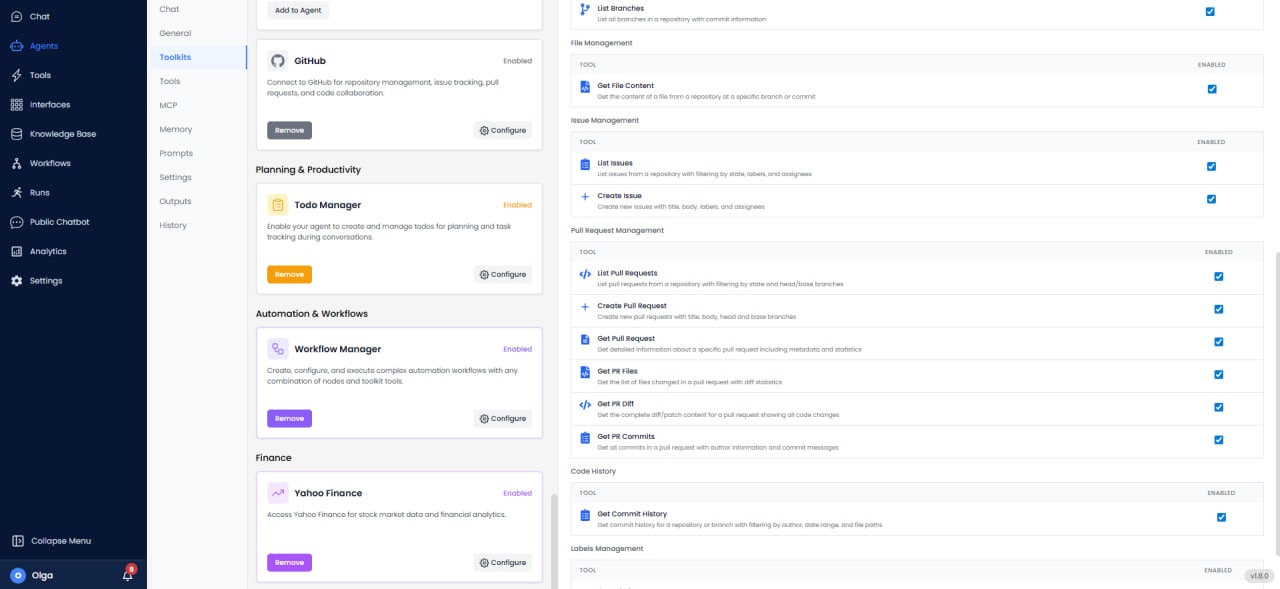
- List Branches: Get all branches in the repository.
Issue & PR Management
- List Issues: Query issues by state, labels, or assignee.
- Create Issue: Create issues with title, body, and labels.
- List Pull Requests: Get all PRs by state or branch.
- Create Pull Request: Open PR from branch to branch.
- Get Pull Request: Retrieve PR details.
- Get PR Files: List all files changed in pull request.
- Get PR Diff: Get the diff for a pull request.
- Get PR Commits: View all commits in pull request.
Code History & Labels
- Get Commit History: View commit history for repository.
- Get Labels: Retrieve all labels from the repository.
- Assign PR Labels: Tag pull requests with labels.
Use Cases
- Issue Tracking: Create and manage GitHub issues from reports or alerts.
- Code Reviews: List and review pull requests automatically.
- Release Management: Track commits and manage releases.
- Project Management: Sync GitHub issues with project workflows.
Best Practices
- Branch Protection: Enable protection on main branches before automation.
- PR Validation: Check PR mergeability before attempting merge.
- Rate Limits: Monitor rate limits (5,000/hour for authenticated requests).
Common Issues & Solutions
- 403 Forbidden: Verify token has required scopes and repository access.
- Merge Conflict: Cannot auto-merge PR with conflicts. Resolve conflicts first.
- Rate Limit: Implement exponential backoff and conditional requests with ETags.
- Branch Protection: PR reviews or checks required before merge. Configure automation accordingly.