

Configuration
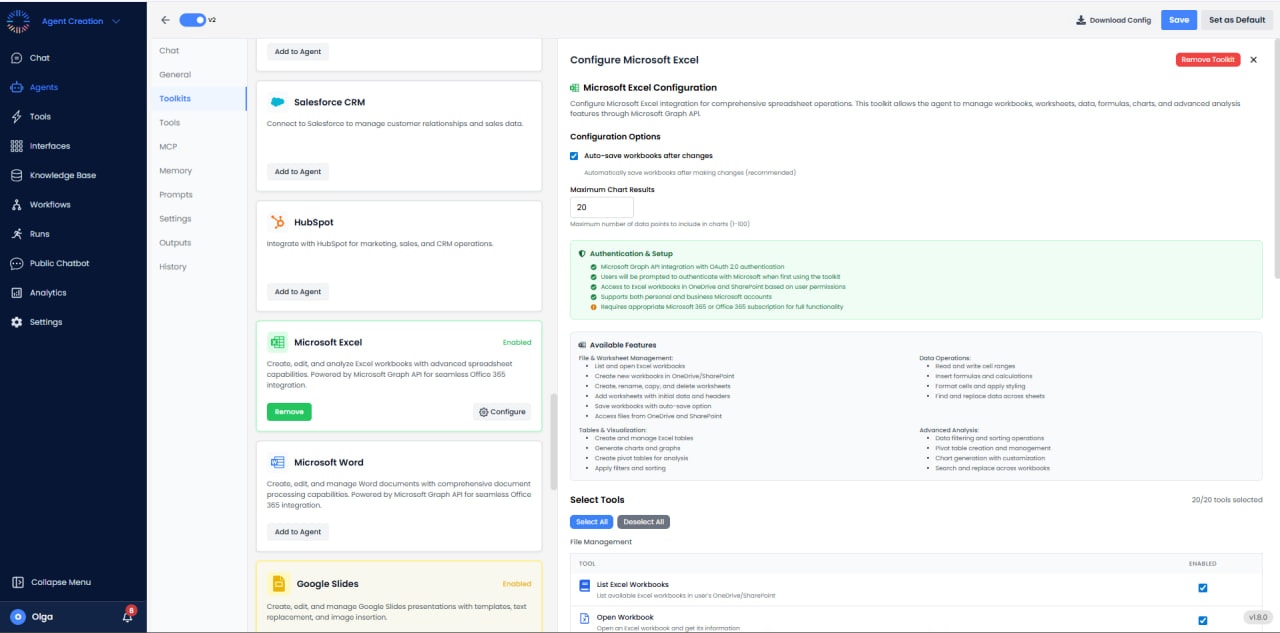
- Auto-save: Enabled
- Maximum Chart Results: 20
- Authentication: OAuth 2.0
- Data Access: Read/Write, Tables, Charts, Formulas, Advanced Analysis
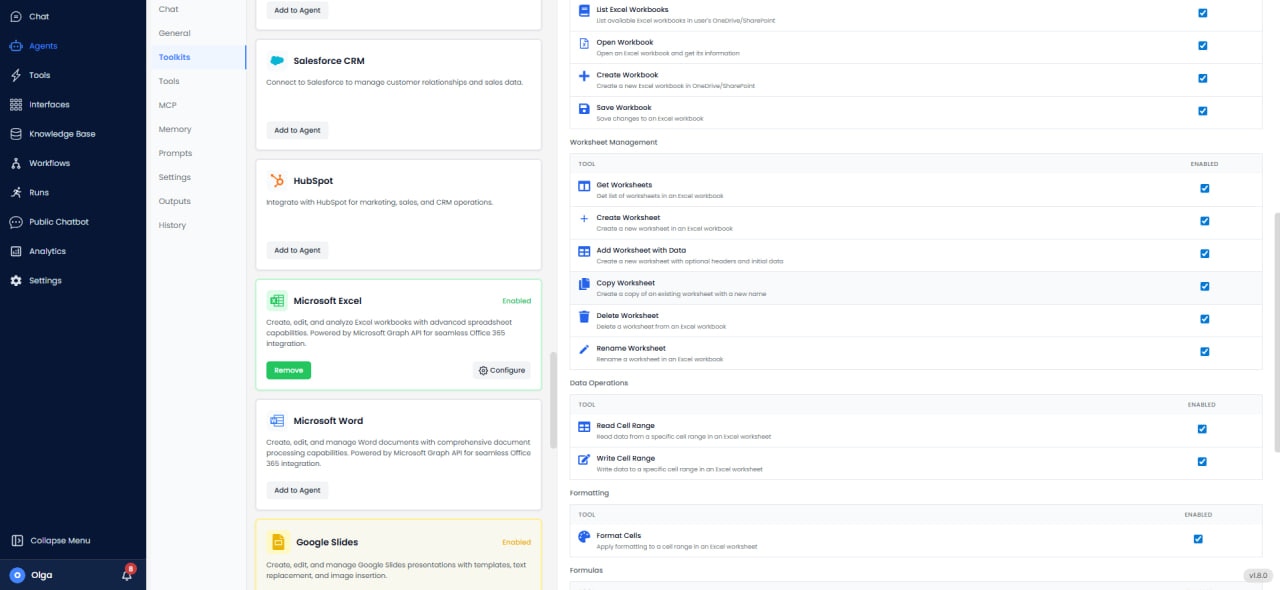
Available Tools (20/20)
Workbook & Worksheet Management
- List Excel Workbooks: View all Excel files.
- Open Workbook: Open an existing workbook.
- Create Workbook: Create a new workbook.
- Save Workbook: Save current workbook.
- Get Worksheets: List all worksheets in the workbook.
- Create Worksheet: Add new worksheet.
- Add Worksheet with Data: Create worksheet and populate with data.
- Copy Worksheet: Duplicate worksheet.
- Delete Worksheet: Remove worksheet.
- Rename Worksheet: Change worksheet name.
Data Operations
- Read Cell Range: Get values from range.
- Write Cell Range: Update values in range.
- Format Cells: Apply formatting (font, color, borders).
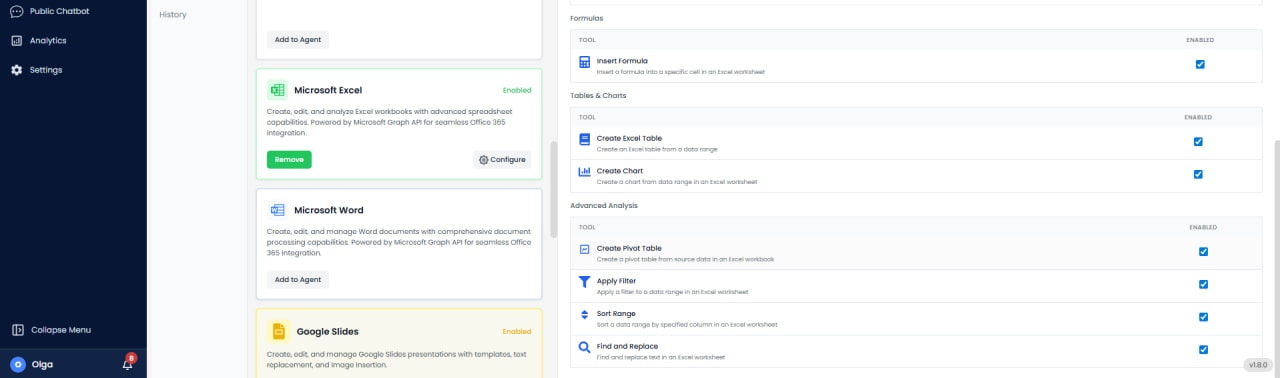
- Insert Formula: Add Excel formulas.
Table & Analysis
- Create Excel Table: Convert range to table.
- Create Chart: Insert charts from data.
- Create Pivot Table: Generate pivot table.
- Apply Filter: Filter data in range.
- Sort Range: Sort data.
- Find and Replace: Search and replace values.
Use Cases
- Financial Modeling: Build financial models with formulas and scenarios.
- Data Analysis: Process datasets with pivot tables and charts.
- Report Automation: Generate formatted Excel reports.
- Sales Dashboards: Create interactive dashboards.
- Data Consolidation: Merge data from multiple sources.