

Configuration
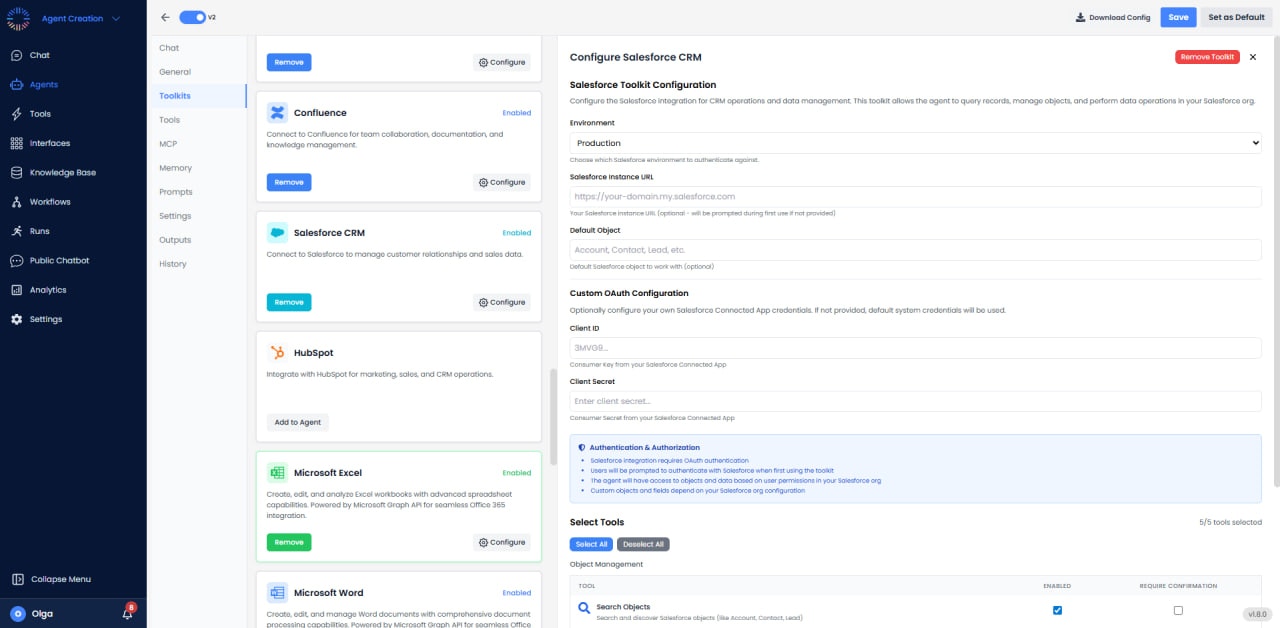
- Environment: Production
- Instance URL: https://your-domain.my.salesforce.com (optional; prompted on first use)
- Default Object: Account, Contact, Lead, etc.
- Custom OAuth: Client ID: 3MVG9…, Client Secret: Enter client secret…
- Authentication: OAuth; data access based on user permissions
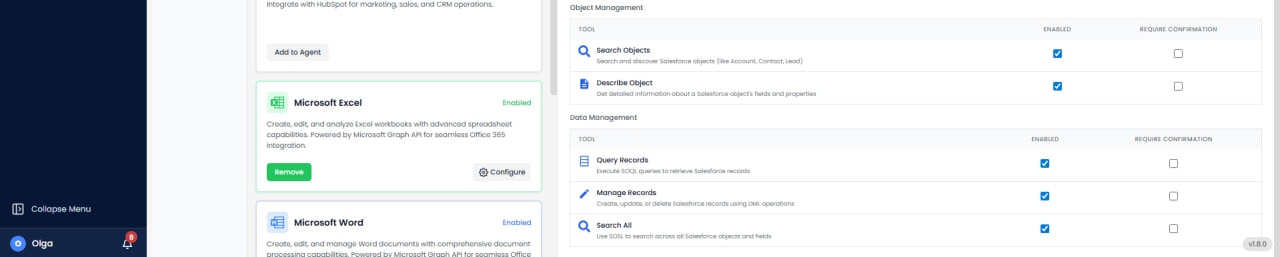
Available Tools (5/5)
- Search Objects: Find records across standard and custom objects.
- Describe Object: Get schema information for any object.
- Query Records: Execute SOQL queries to retrieve records.
- Manage Records: Create, update, or delete records.
- Search All: Perform full-text searches across multiple objects.
Use Cases
- Lead Enrichment: Automatically enrich leads with research and company data.
- Opportunity Management: Track deals through pipeline and forecast revenue.
- Automated Lead Routing: Assign leads based on territory or lead score.
- Customer Data Sync: Synchronize data between Salesforce and other systems.
- Case Automation: Auto-create support cases and update statuses.
API Limits & Quotas
Salesforce enforces API call limits based on edition and license type. Professional: 1,000 calls/day, Enterprise: 5,000+ calls/day, Unlimited: 10,000+ calls/day. Monitor usage in Setup → System Overview → API Usage. Use bulk operations to maximize efficiency.Common Issues & Solutions
- API Limit Exceeded: Implement caching, use bulk operations, or request limit increase from Salesforce.
- Invalid Field: Verify field API names (often differ from display labels). Check field-level security.
- Record Type Mismatch: Ensure correct record type ID when creating records with multiple record types.
- Validation Rules: Failed saves may be due to Salesforce validation rules. Review error messages carefully.