

Available Tools
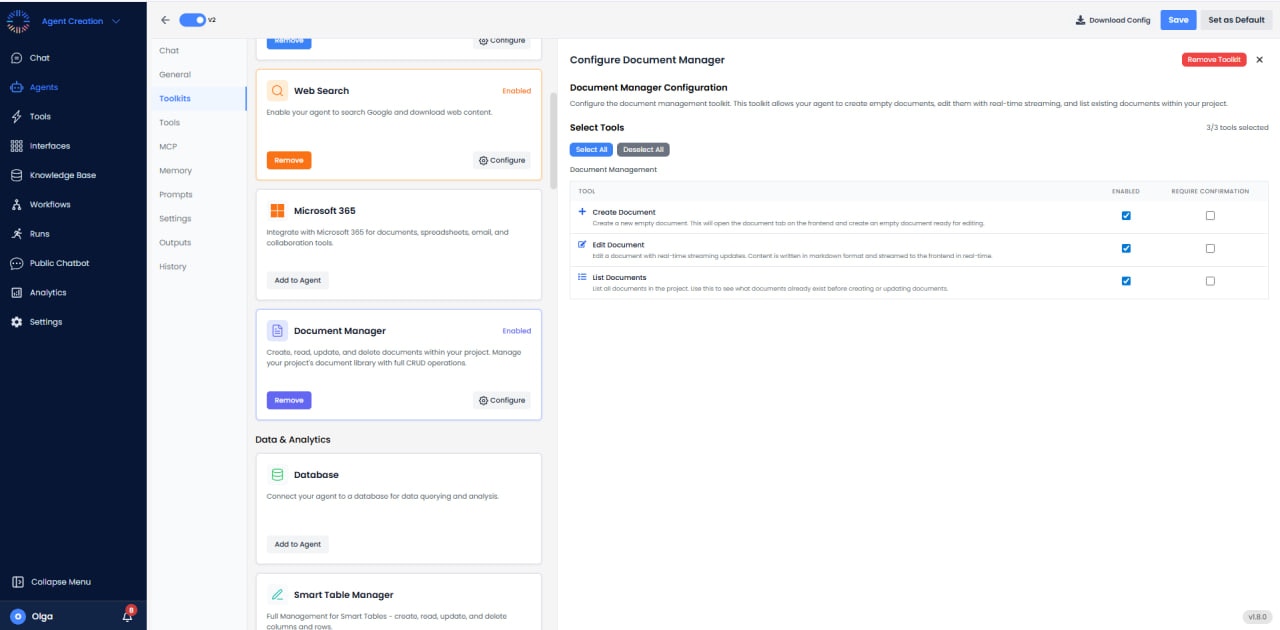
- Create Document: Create a new empty document. This opens the document tab on the frontend and creates an empty document ready for editing.
- Edit Document: Edit a document with real-time streaming updates. Content is written in markdown format and streamed to the frontend in real-time, allowing users to see changes as they happen.
- List Documents: List all documents in the project. Use this to see what documents already exist before creating or updating documents.
Key Features
- Real-Time Streaming: Document edits stream to the frontend in real-time for immediate visibility.
- Markdown Support: Documents are created and edited using markdown format for easy formatting.
- Document Tab Integration: New documents automatically open in the document tab for easy access.
- Project-Level Management: All documents are managed within the current project workspace.
Use Cases
- Report Generation: Create business reports with real-time updates visible to users.
- Content Drafting: Generate draft content for emails, proposals, or marketing materials.
- Documentation: Create technical documentation or meeting notes with markdown formatting.
- Collaborative Writing: Edit documents iteratively with streaming updates showing progress.
- Document Organization: List existing documents to avoid duplicates and maintain organization.
Best Practices
- List Before Creating: Always use List Documents to check what exists before creating new documents.
- Use Markdown: Take advantage of markdown formatting for structured, professional-looking documents.
- Descriptive Names: Use clear, descriptive names when creating documents for easy identification.
- Stream Awareness: Remember that edits stream in real-time - users will see content as it’s written.