> ## Documentation Index
> Fetch the complete documentation index at: https://learn.getodin.ai/llms.txt
> Use this file to discover all available pages before exploring further.
# Workflow Manager Toolkit
> Design and execute deterministic workflows for automation
Enables design and execution of deterministic workflows. Ideal for recurring tasks and complex processes that require precise orchestration. Workflows provide repeatable, auditable automation.
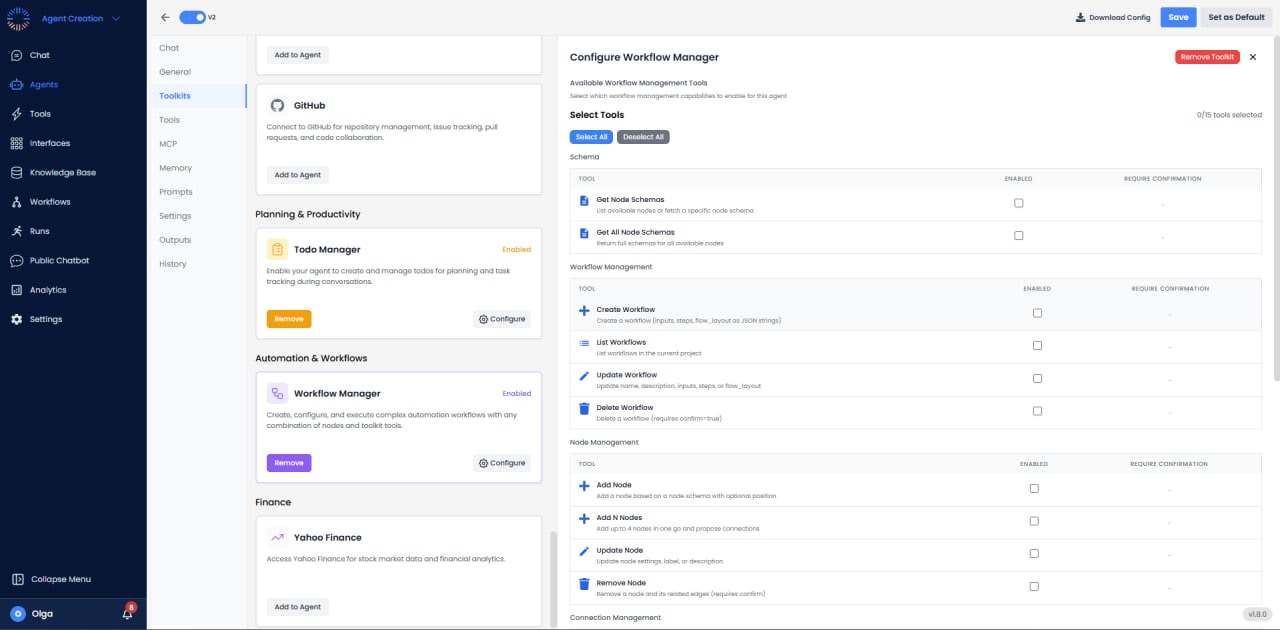
## Available Tools (15 total)
 ### Schema Tools
* **Get Node Schemas**: Retrieve node type definitions.
* **Get All Node Schemas**: Get all available node schemas.
### Workflow Management
* **Create Workflow**: Create new workflow definition.
* **List Workflows**: View all workflows in a project.
* **Update Workflow**: Modify existing workflow.
* **Delete Workflow**: Remove workflow.
### Node Management
* **Add Node**: Add single node to workflow.
* **Add N Nodes**: Add multiple nodes at once.
* **Update Node**: Modify node configuration.
* **Remove Node**: Delete node from workflow.
### Connection Management
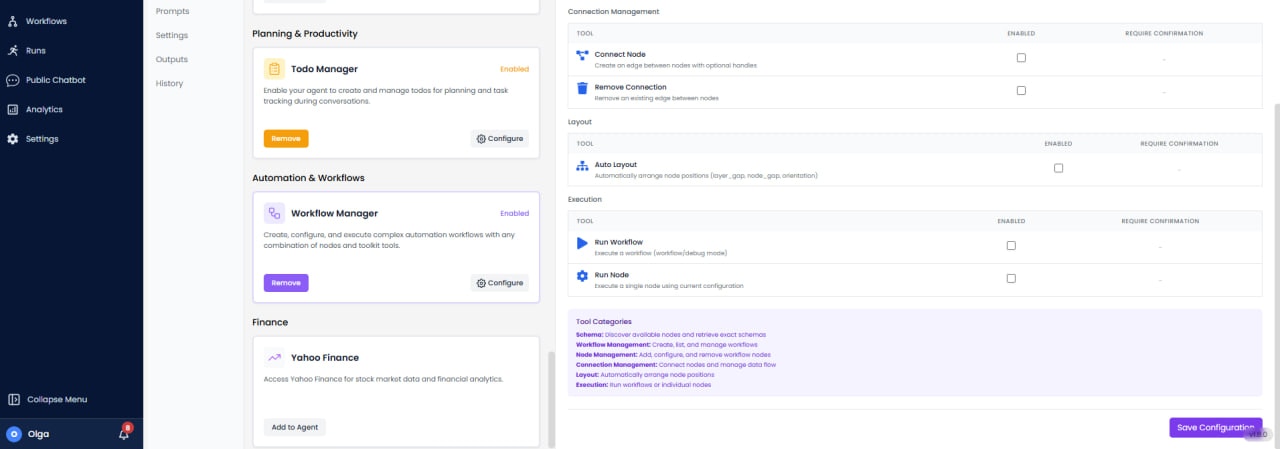
* **Connect Node**: Create connection between nodes.
* **Remove Connection**: Delete node connection.
### Layout & Execution
* **Auto Layout**: Automatically arrange nodes.
* **Run Workflow**: Execute the entire workflow.
* **Run Node**: Execute single node.
## Use Cases
* **Daily Reports**: Scheduled workflow that queries data and emails reports.
* **Event-Driven Automation**: Trigger actions based on events.
* **Data Pipelines**: Extract, transform, and load data.
* **Customer Onboarding**: Multi-step workflows for new customers.
* **Content Publishing**: Review and approval workflows.
### Schema Tools
* **Get Node Schemas**: Retrieve node type definitions.
* **Get All Node Schemas**: Get all available node schemas.
### Workflow Management
* **Create Workflow**: Create new workflow definition.
* **List Workflows**: View all workflows in a project.
* **Update Workflow**: Modify existing workflow.
* **Delete Workflow**: Remove workflow.
### Node Management
* **Add Node**: Add single node to workflow.
* **Add N Nodes**: Add multiple nodes at once.
* **Update Node**: Modify node configuration.
* **Remove Node**: Delete node from workflow.
### Connection Management
* **Connect Node**: Create connection between nodes.
* **Remove Connection**: Delete node connection.
### Layout & Execution
* **Auto Layout**: Automatically arrange nodes.
* **Run Workflow**: Execute the entire workflow.
* **Run Node**: Execute single node.
## Use Cases
* **Daily Reports**: Scheduled workflow that queries data and emails reports.
* **Event-Driven Automation**: Trigger actions based on events.
* **Data Pipelines**: Extract, transform, and load data.
* **Customer Onboarding**: Multi-step workflows for new customers.
* **Content Publishing**: Review and approval workflows.