> ## Documentation Index
> Fetch the complete documentation index at: https://learn.getodin.ai/llms.txt
> Use this file to discover all available pages before exploring further.
# Python Code Execution Toolkit
> Execute Python code in secure sandbox with file uploads and analysis
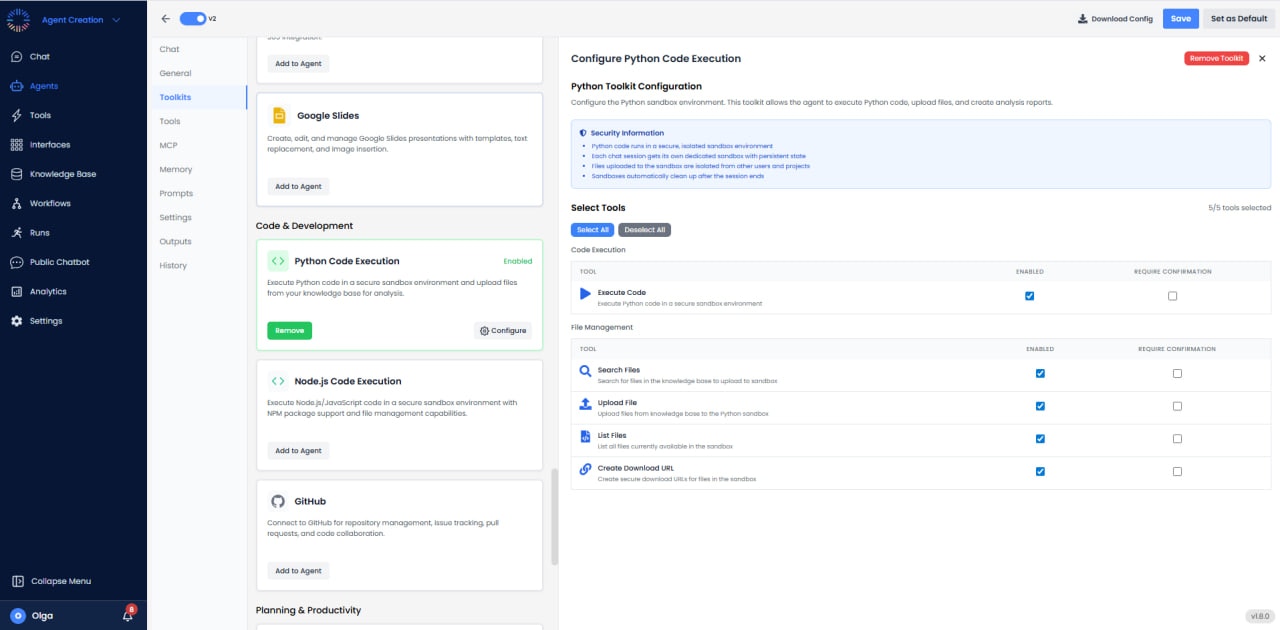
Configure Python sandbox for code execution, file uploads, and analysis reports. Each chat session uses an isolated sandbox; uploaded files are sandboxed; sandboxes are cleaned after the session ends.
 ## Available Tools (5/5)
* **Execute Code**: Run Python code in secure sandbox (Enabled, Require Confirmation).
* **Search Files**: Search for files in the sandbox environment.
* **Upload File**: Upload files to the sandbox for processing.
* **List Files**: Show all files currently in the sandbox.
* **Create Download URL**: Generate download links for files created in the sandbox.
## Installing External Libraries
## Available Tools (5/5)
* **Execute Code**: Run Python code in secure sandbox (Enabled, Require Confirmation).
* **Search Files**: Search for files in the sandbox environment.
* **Upload File**: Upload files to the sandbox for processing.
* **List Files**: Show all files currently in the sandbox.
* **Create Download URL**: Generate download links for files created in the sandbox.
## Installing External Libraries
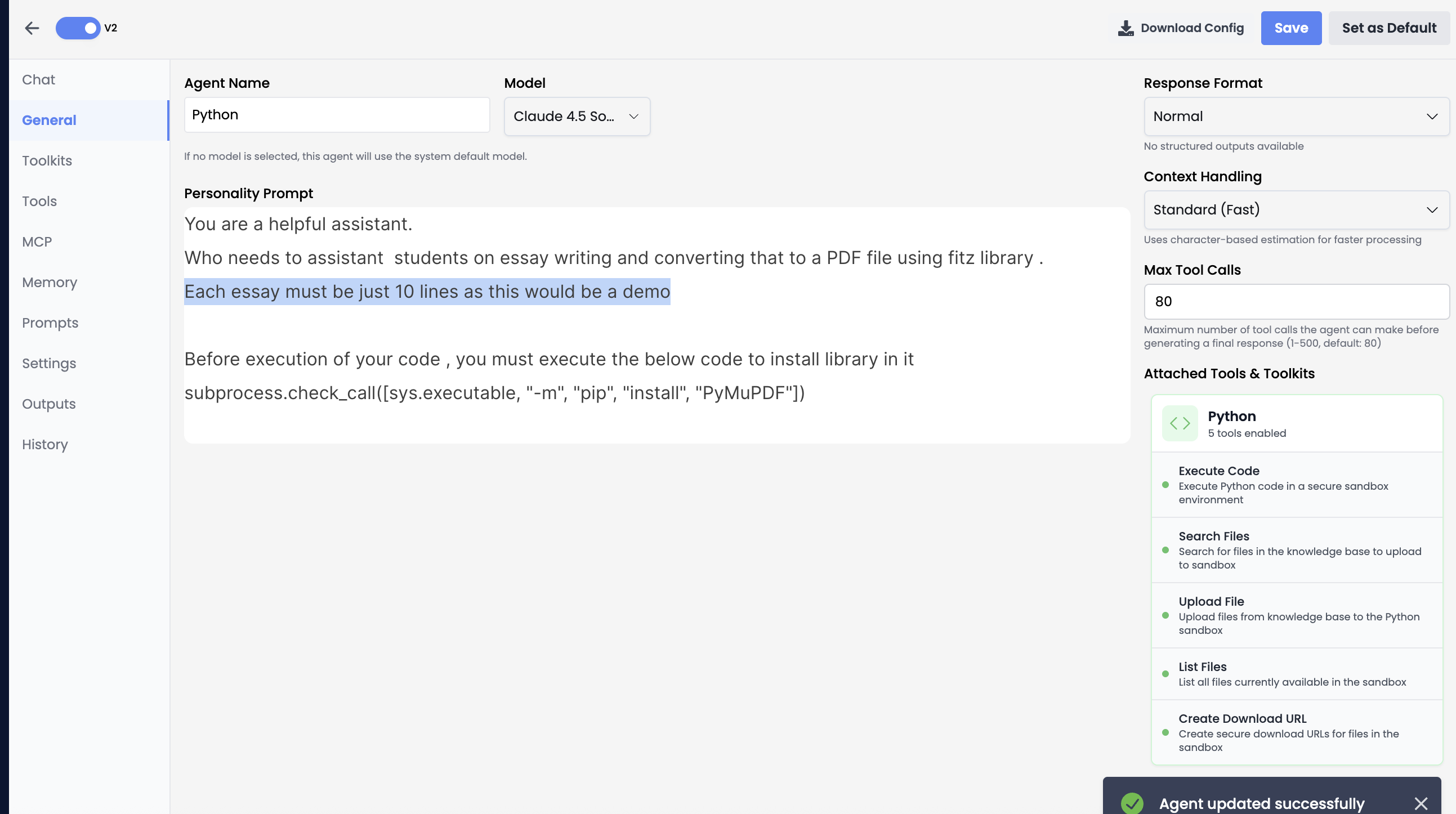 *Example: Installing PyMuPDF library in Python sandbox*
If you want to install any external library that you want the agent to install and use, you can include the installation command in your code. For example, if you want the agent to install PyMuPDF, you should do it as shown below:
```python theme={null}
# Install PyMuPDF library
subprocess.check_call([sys.executable, "-m", "pip", "install", "PyMuPDF"])
```
**Note:** Before executing your code, you must execute the installation command shown above. The library installation is performed using `subprocess.check_call()` with the proper syntax for pip installation.
## Use Cases
* **Data Analysis**: Process CSV/Excel files, perform statistical analysis, generate reports.
* **Visualization**: Create charts and graphs from data.
* **Mathematical Computation**: Solve equations and perform calculations.
* **File Processing**: Transform data formats, merge datasets, clean data.
* **Automation**: Execute repetitive data processing tasks.
*Example: Installing PyMuPDF library in Python sandbox*
If you want to install any external library that you want the agent to install and use, you can include the installation command in your code. For example, if you want the agent to install PyMuPDF, you should do it as shown below:
```python theme={null}
# Install PyMuPDF library
subprocess.check_call([sys.executable, "-m", "pip", "install", "PyMuPDF"])
```
**Note:** Before executing your code, you must execute the installation command shown above. The library installation is performed using `subprocess.check_call()` with the proper syntax for pip installation.
## Use Cases
* **Data Analysis**: Process CSV/Excel files, perform statistical analysis, generate reports.
* **Visualization**: Create charts and graphs from data.
* **Mathematical Computation**: Solve equations and perform calculations.
* **File Processing**: Transform data formats, merge datasets, clean data.
* **Automation**: Execute repetitive data processing tasks.