> ## Documentation Index
> Fetch the complete documentation index at: https://learn.getodin.ai/llms.txt
> Use this file to discover all available pages before exploring further.
# Node.js Execution Toolkit
> Optimized for JavaScript/TypeScript workloads
 **How to reach:** Main sidebar > "Agents" > Select agent > "Toolkits" tab > "Code & Development" > "Node.js Code Execution"
1. Open your agent > "Toolkits" tab > "Code & Development" category > Find "Node.js Code Execution" toolkit.
2. Click "Add to Agent" on Node.js Code Execution, then "Configure". Click "Save".
## Node.js Code Execution Toolkit
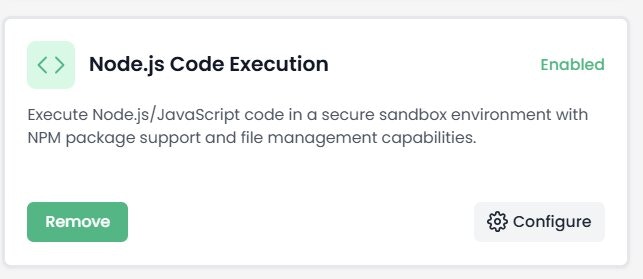
Execute Node.js/JavaScript code in a secure sandbox environment with NPM package support and file management capabilities. Optimized for JavaScript/TypeScript workloads, API integrations, JSON processing, async operations, and web automation.
## Node.js Toolkit Configuration
**How to reach:** Main sidebar > "Agents" > Select agent > "Toolkits" tab > "Code & Development" > "Node.js Code Execution"
1. Open your agent > "Toolkits" tab > "Code & Development" category > Find "Node.js Code Execution" toolkit.
2. Click "Add to Agent" on Node.js Code Execution, then "Configure". Click "Save".
## Node.js Code Execution Toolkit
Execute Node.js/JavaScript code in a secure sandbox environment with NPM package support and file management capabilities. Optimized for JavaScript/TypeScript workloads, API integrations, JSON processing, async operations, and web automation.
## Node.js Toolkit Configuration
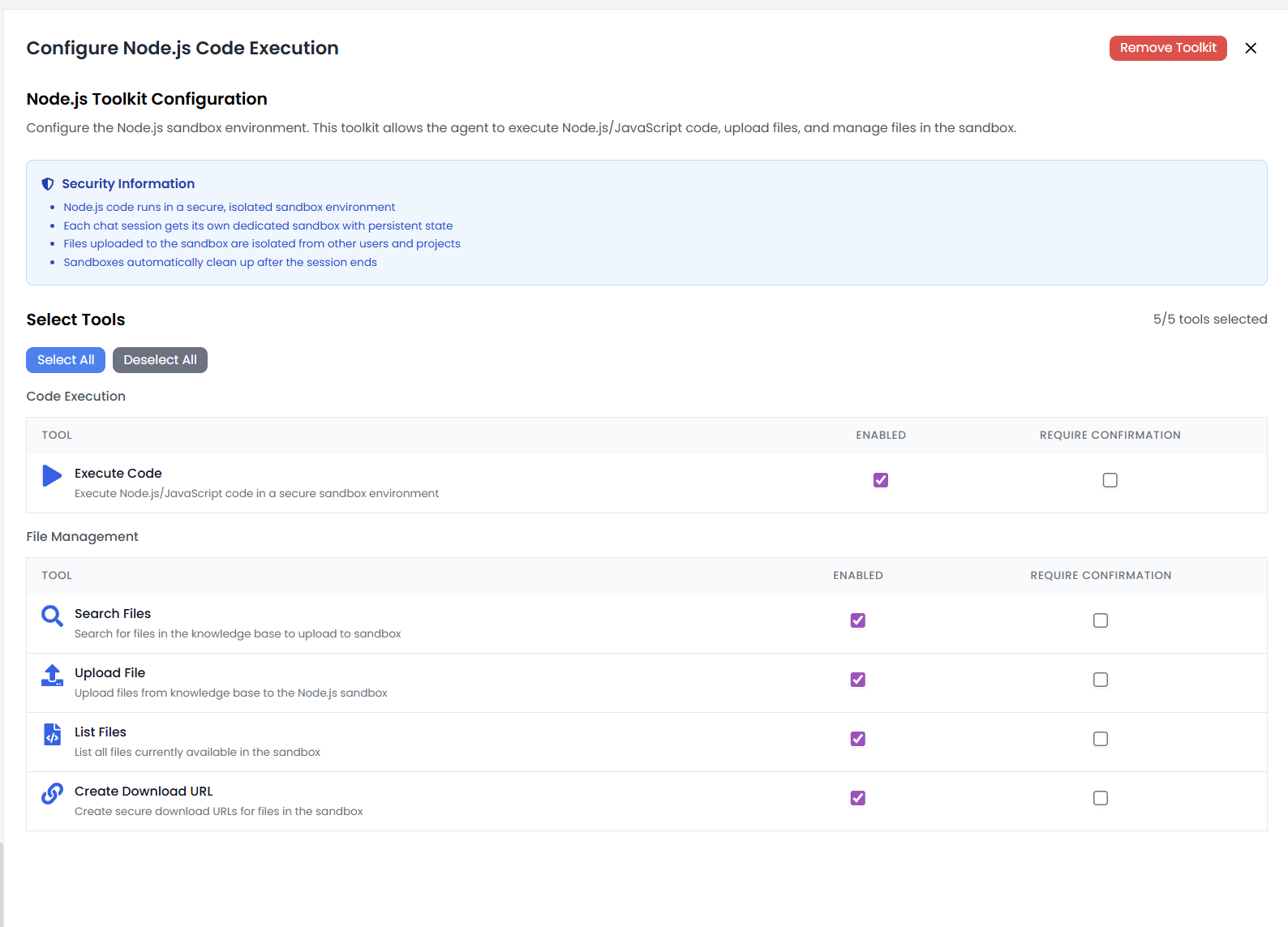 Configure the Node.js sandbox environment. This toolkit allows the agent to execute Node.js/JavaScript code, upload files, and manage files in the sandbox.
## Security Information
* Node.js code runs in a secure, isolated sandbox environment
* Each chat session gets its own dedicated sandbox with persistent state
* Files uploaded to the sandbox are isolated from other users and projects
* Sandboxes automatically clean up after the session ends
## Available Tools (5/5)
**Code Execution:**
* **Execute Code**: Execute Node.js/JavaScript code in a secure sandbox environment
**File Management:**
* **Search Files**: Search for files in the knowledge base to upload to sandbox
* **Upload File**: Upload files from knowledge base to the Node.js sandbox
* **List Files**: List all files currently available in the sandbox
* **Create Download URL**: Create secure download URLs for files in the sandbox
## Use Cases
* **API Integration**: Call REST APIs and handle OAuth flows.
* **JSON Processing**: Parse and transform JSON data structures.
* **Web Automation**: Scrape websites and automate forms.
* **Data Transformation**: Convert between formats (CSV, JSON, XML, YAML).
## Example Code
Below is an example Node.js script demonstrating NPM package usage, dependency checking, and the required `module.exports` pattern with a `main()` entry point function:
```javascript theme={null}
const _ = require("lodash");
const PACKAGES = ["lodash", "@google-cloud/bigquery", "axios"];
const isPackageInstalled = (packageName) => {
try {
require.resolve(packageName);
return true;
} catch (e) {
return false;
}
};
const getPackageVersion = (packageName) => {
if (!isPackageInstalled(packageName)) return {
isInstalled: false,
version: null,
message: "Package is not installed",
package: packageName,
};
const version = require(`${packageName}/package.json`).version;
return {
isInstalled: true,
version,
message: `Package is installed with version ${version}`,
package: packageName,
};
};
const test = () => {
return _.map(PACKAGES, (pkg) => getPackageVersion(pkg));
};
async function main(inputText, maxLength = 100, options = {}) {
/**
* Main function that will be executed
*
* @param {string} inputText - The text to process
* @param {number} maxLength - Maximum length of output (default: 100)
* @param {object} options - Additional processing options (default: {})
*/
return { data: test() };
}
// The entry point function will be called with the arguments you define
module.exports = { main };
```
## Key Points from Example
* **Entry Point**: The `main()` function is the entry point, exported via `module.exports = { main }`.
* **NPM Packages**: Use `require()` to import installed packages (e.g., lodash, axios, @google-cloud/bigquery).
* **Package Checking**: Use `require.resolve()` to check if a package is available in the sandbox.
* **Async Support**: The main function can be async for handling API calls and file operations.
* **Parameters**: Define parameters with defaults (e.g., `maxLength = 100`, `options = {}`) for flexible input.
* **Return Format**: Return results as an object (e.g., `{ data: ... }`) for structured output.
Configure the Node.js sandbox environment. This toolkit allows the agent to execute Node.js/JavaScript code, upload files, and manage files in the sandbox.
## Security Information
* Node.js code runs in a secure, isolated sandbox environment
* Each chat session gets its own dedicated sandbox with persistent state
* Files uploaded to the sandbox are isolated from other users and projects
* Sandboxes automatically clean up after the session ends
## Available Tools (5/5)
**Code Execution:**
* **Execute Code**: Execute Node.js/JavaScript code in a secure sandbox environment
**File Management:**
* **Search Files**: Search for files in the knowledge base to upload to sandbox
* **Upload File**: Upload files from knowledge base to the Node.js sandbox
* **List Files**: List all files currently available in the sandbox
* **Create Download URL**: Create secure download URLs for files in the sandbox
## Use Cases
* **API Integration**: Call REST APIs and handle OAuth flows.
* **JSON Processing**: Parse and transform JSON data structures.
* **Web Automation**: Scrape websites and automate forms.
* **Data Transformation**: Convert between formats (CSV, JSON, XML, YAML).
## Example Code
Below is an example Node.js script demonstrating NPM package usage, dependency checking, and the required `module.exports` pattern with a `main()` entry point function:
```javascript theme={null}
const _ = require("lodash");
const PACKAGES = ["lodash", "@google-cloud/bigquery", "axios"];
const isPackageInstalled = (packageName) => {
try {
require.resolve(packageName);
return true;
} catch (e) {
return false;
}
};
const getPackageVersion = (packageName) => {
if (!isPackageInstalled(packageName)) return {
isInstalled: false,
version: null,
message: "Package is not installed",
package: packageName,
};
const version = require(`${packageName}/package.json`).version;
return {
isInstalled: true,
version,
message: `Package is installed with version ${version}`,
package: packageName,
};
};
const test = () => {
return _.map(PACKAGES, (pkg) => getPackageVersion(pkg));
};
async function main(inputText, maxLength = 100, options = {}) {
/**
* Main function that will be executed
*
* @param {string} inputText - The text to process
* @param {number} maxLength - Maximum length of output (default: 100)
* @param {object} options - Additional processing options (default: {})
*/
return { data: test() };
}
// The entry point function will be called with the arguments you define
module.exports = { main };
```
## Key Points from Example
* **Entry Point**: The `main()` function is the entry point, exported via `module.exports = { main }`.
* **NPM Packages**: Use `require()` to import installed packages (e.g., lodash, axios, @google-cloud/bigquery).
* **Package Checking**: Use `require.resolve()` to check if a package is available in the sandbox.
* **Async Support**: The main function can be async for handling API calls and file operations.
* **Parameters**: Define parameters with defaults (e.g., `maxLength = 100`, `options = {}`) for flexible input.
* **Return Format**: Return results as an object (e.g., `{ data: ... }`) for structured output.